Designing Custom Graduation Favors with SVG Cut Files for Candy Holders
The season of commencement brings a wave of celebration, marking significant milestones for students ranging from kindergarten to doctoral candidates. For crafters, educators, small business owners, and party planners, this period offers a unique opportunity to create personalized memorabilia that resonates with the spirit of achievement. Among the most popular and practical projects are custom candy holders, which serve as both delightful treats and keepsakes for guests. The foundation of creating these intricate paper crafts lies in high-quality digital designs, specifically Graduation Candy Holder SVG Cut Files. Understanding how to leverage these digital assets effectively can transform a simple idea into a professional-grade production.
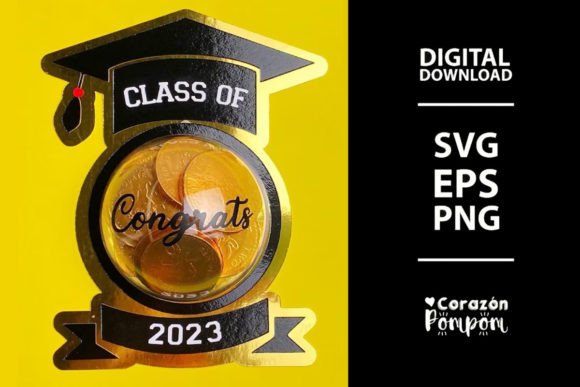
It is crucial to establish immediately that when acquiring these designs, you are purchasing a digital file; no physical items will be mailed. This distinction is vital for managing expectations and planning your workflow. The product consists of a compressed zip file containing various vector and raster formats, typically including two SVG files, one PNG, and two EPS files. These formats are engineered to be compatible with a wide array of craft-cutting machines, such as Cricut, Silhouette, and many other industry-standard devices, or they can be printed onto transfer paper for alternative application methods. However, compatibility is not universal. It remains the user's responsibility to verify which file types their specific machine recognizes, as not all hardware supports SVG, DXF, or EPS inputs equally.
The Versatility of Vector Formats in Craft Production
The core value of using Graduation Candy Holder SVG Cut Files stems from the nature of vector graphics. Unlike raster images that lose quality when enlarged, vector files like SVG and EPS use mathematical paths to define shapes. This characteristic allows creators to easily adjust the size of the design to fit their specific needs without any loss of resolution or sharpness. Whether you are crafting miniature holders for a preschool graduation or large-scale containers for a university reception, the scalability of these files ensures crisp cut lines every time.
Upon downloading the product, the first step in your workflow is to unzip and extract the files to your computer. This process unlocks the contained assets, ready for import into your preferred design software. Once imported, you gain full control over the aesthetic elements. You can modify colors to match school mascots, institutional themes, or personal preferences directly through your application settings. This flexibility is particularly advantageous for businesses producing bulk orders for different schools, as a single base file can be rapidly adapted to reflect varying color schemes and branding requirements.
Technical Considerations for Machine Compatibility
While the promise of compatibility with machines like Cricut and Silhouette is broad, the reality of digital crafting requires a nuanced understanding of file management. Professionals and hobbyists alike must ensure their software environment is configured to read the specific file extensions provided. The inclusion of multiple formats—two SVGs, two EPS, and a PNG—is a strategic move by designers to cater to diverse ecosystems. For instance, older cutting machines might rely heavily on DXF or specific EPS configurations, whereas newer models thrive on native SVG integration. If your machine does not support SVG natively, the EPS files often serve as a robust alternative for importing vector data into desktop-based design suites before sending them to the cutter.
Furthermore, the PNG file included in the package serves a different purpose, primarily useful for sublimation printing or as a reference image for manual tracing if a user's equipment lacks direct vector import capabilities. This multi-format approach ensures that regardless of the technological tier of your equipment, there is a viable pathway to utilizing the design. However, users must remain vigilant; attempting to load an unsupported file type can lead to errors in the cutting mat preview, resulting in wasted material and time.
Practical Assembly and Structural Integrity
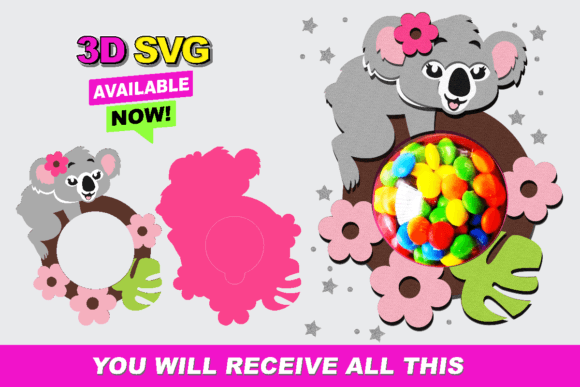
Creating a functional candy holder involves more than just cutting the shape; it requires precise assembly to ensure the final product holds its form and securely contains its contents. A critical instruction often overlooked by beginners is the necessity of attaching the opening of the candy holder to the backing before cutting. This step is essential for designs that involve layered materials or specific folding mechanisms. By securing the layers prior to the cutting process, you ensure that the registration marks align perfectly and that the structural components do not shift during the high-speed movement of the cutting blade.
The dimensions of the final product are equally important. In many standard examples, the dome of the candy holder measures approximately 9cm. This size is generally ideal for holding standard chocolates, wrapped candies, or small gift cards. However, the dynamic nature of SVG files allows you to resize this dome to accommodate different treats. If you intend to fill the holders with larger confections or non-edible trinkets, scaling the design up is a straightforward process within your design software. Conversely, for more delicate favors, scaling down preserves the proportionate aesthetics of the graduation theme, such as the mortarboard cap and tassel details inherent in the design.
Material Selection and Cutting Settings
The success of a project using Graduation Candy Holder SVG Cut Files is heavily dependent on material selection. Cardstock is the most common medium, offering the rigidity needed to maintain the dome shape while remaining flexible enough to fold without cracking. Professionals often recommend cardstock weights between 65lb and 80lb for optimal results. Lighter papers may collapse under the weight of the candy, while heavier board stocks might require multiple passes or specialized blades to cut through cleanly.
When configuring your machine, pay close attention to the pressure and speed settings. Intricate details, such as the fringe on a tassel or the text on a diploma motif, require precise cuts. If the pressure is too high, you risk tearing the paper; if too low, the pieces may not fully separate, leading to jagged edges during assembly. Conducting a test cut on a scrap piece of your chosen material is a best practice that saves time and resources in the long run. This is especially true when working with textured or metallic cardstocks, which behave differently than standard matte finishes.
Applications Across Different Sectors
The utility of these digital files extends far beyond the home hobbyist. Educators frequently utilize these designs to engage students in STEM activities, combining geometry lessons with art by having classes assemble their own favor boxes. This hands-on approach reinforces spatial reasoning and following technical instructions. For event planners and catering companies, offering customized graduation favors adds a premium touch to their service packages. The ability to rapidly produce hundreds of uniform yet personalized items makes SVG-based workflows highly efficient for commercial applications.
Small business owners selling on platforms like Etsy or at local craft fairs find immense value in these files. Since the product is a digital download, the overhead costs are minimal compared to purchasing pre-made physical goods. The entrepreneur invests once in the file and can generate infinite inventory based on demand. This model supports a sustainable business practice where production scales exactly with sales, reducing waste and storage issues. Moreover, the customization potential allows sellers to offer "made-to-order" services, charging a premium for specific school colors or names added to the design.
Trends in Personalized Commencement Celebrations
In recent years, there has been a noticeable shift towards hyper-personalization in graduation celebrations. Guests increasingly expect favors that reflect the specific journey of the graduate rather than generic, mass-produced items. Graduation Candy Holder SVG Cut Files facilitate this trend by allowing creators to integrate names, graduation years, and even quotes into the design layout before cutting. This level of detail transforms a simple candy box into a cherished memory.
Additionally, the rise of eco-conscious consumerism has influenced material choices. Many creators are now opting for recycled cardstocks or biodegradable papers when using these cut files. The precision of digital cutting ensures that even sustainable materials, which can sometimes be more brittle or inconsistent, are handled with care, minimizing waste during the production process. This alignment with environmental values enhances the appeal of the final product for modern consumers.
Maximizing Efficiency in Digital Workflows
To truly master the use of these files, one must develop an organized digital workflow. Start by creating a dedicated folder on your computer for each project, storing the extracted zip contents alongside your saved project files. Name your layers clearly within your design software; for example, label layers as "Cut Line," "Score Line," or "Print Layer." This organization becomes indispensable when dealing with complex multi-layered designs or when returning to a project after a break.
Batch processing is another technique that boosts productivity. If you are producing favors for a large class, arrange multiple instances of the candy holder design on a single virtual mat to maximize the usage of your physical cardstock sheets. Most cutting machine software includes a "mat preview" feature that helps you visualize the layout before committing to the cut. Utilizing this feature prevents errors such as running out of space on the mat or misaligning the grain of the paper, which can affect how the holder folds.
Ultimately, the transition from a digital file to a tangible celebration item is a testament to the power of modern crafting technology. By understanding the nuances of file formats, material properties, and assembly techniques, creators can produce high-quality graduation favors that stand out. Whether for a classroom activity, a small business venture, or a family celebration, Graduation Candy Holder SVG Cut Files provide the essential blueprint for turning creative vision into reality. Remember, the key to success lies in the preparation: verifying your machine's compatibility, selecting the right materials, and adhering to structural guidelines like attaching the opening to the backing before the cut. With these practices in place, the path to creating memorable graduation keepsakes is clear and accessible to all.